
Smart File Converter: Convert Files Right in Your Browser

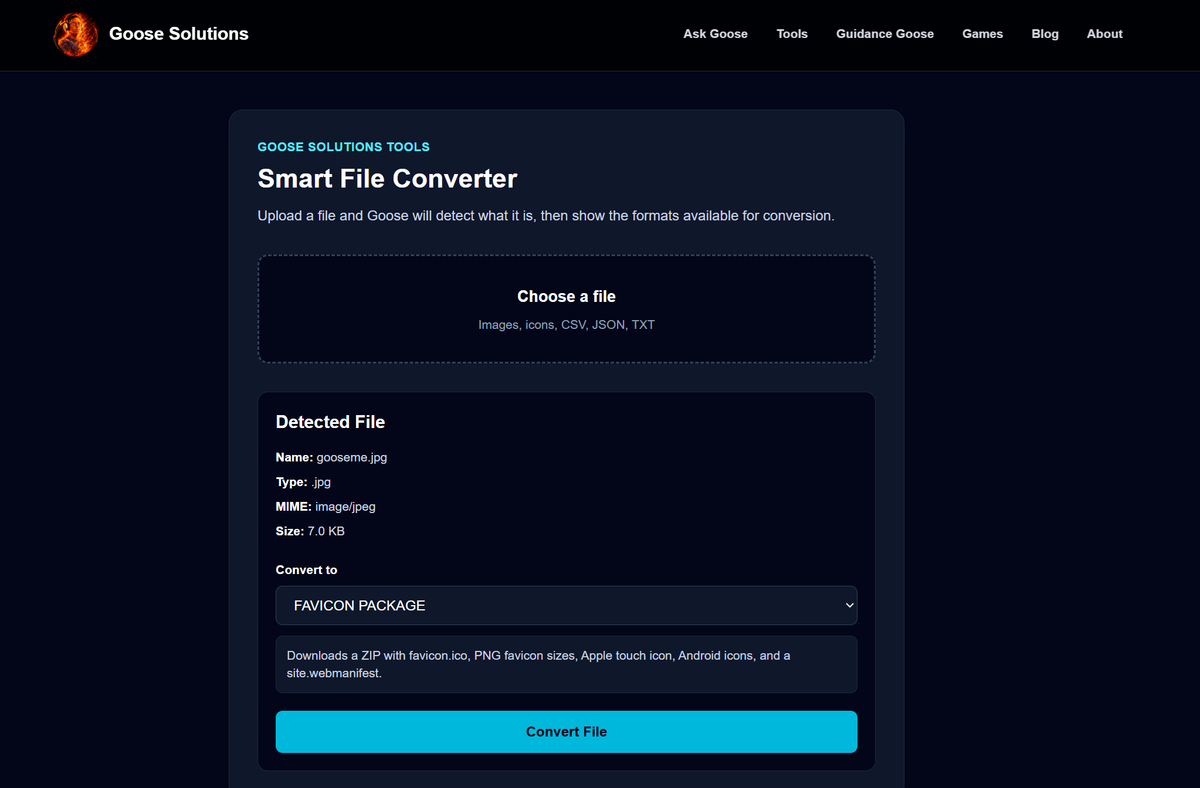
At Goose Solutions, we believe good tools should solve real problems without forcing users to install software, create accounts, or upload files to questionable websites. That's exactly why we built the Smart File Converter.
The Smart File Converter is a browser-based utility designed to quickly convert common file formats with a focus on speed, privacy, and simplicity. Instead of sending files to a remote server, conversions happen directly in your browser whenever possible, giving you immediate results while keeping your data under your control.
Supported File Types
The tool currently supports a growing list of file formats, including:
- PNG
- JPG / JPEG
- WEBP
- ICO
- CSV
- JSON
- TXT
As the platform grows, additional formats and conversion options will continue to be added.
Image Conversion
One of the most common tasks users face is converting images between different formats. The Smart File Converter allows users to quickly switch between PNG, JPG, and WEBP formats without installing image editing software.
Whether you're preparing website graphics, reducing file sizes, or converting images for compatibility with another application, the process only takes a few clicks.
ICO and Favicon Generation
A major feature of the Smart File Converter is favicon creation.
Website owners often need multiple icon sizes for browsers, mobile devices, and operating systems. Instead of manually resizing images and generating each icon individually, the converter can create:
- 16×16 ICO
- 32×32 ICO
- 48×48 ICO
- 64×64 ICO
- 128×128 ICO
- 256×256 ICO
Users can download a single icon size or generate an icon pack containing every common favicon size.
For even greater convenience, the tool can generate a complete favicon package that includes:
- favicon.ico
- favicon-16x16.png
- favicon-32x32.png
- apple-touch-icon.png
- android-chrome-192x192.png
- android-chrome-512x512.png
- site.webmanifest
This provides nearly everything needed to add modern favicon support to a website.
CSV and JSON Conversion
Developers, analysts, and data professionals frequently work with CSV and JSON files.
The Smart File Converter can transform:
- CSV to JSON
- JSON to CSV
This makes it easy to move data between spreadsheets, APIs, databases, and development tools without writing scripts or using third-party converters.
Text Utilities
The converter also includes support for simple text transformations.
Current options include:
- TXT to HTML
- TXT to Markdown
These conversions can help when preparing content for websites, documentation systems, blogs, or technical projects.
Privacy First
One of the biggest concerns with online conversion tools is privacy.
Many services require files to be uploaded to remote servers where users have little visibility into how their files are processed or stored.
The Smart File Converter takes a different approach. Whenever possible, conversions are performed directly in the browser. Your files remain on your device, reducing risk and providing a faster experience.
Built for Practical Use
The goal of the Smart File Converter isn't to become a bloated software suite. It exists to solve common everyday problems quickly and efficiently.
Need a favicon for your website? Convert it.
Need a PNG turned into a JPG? Convert it.
Need to move data between CSV and JSON? Convert it.
No account creation. No subscriptions. No unnecessary complexity.
Just practical tools built for real work.
What's Next?
The Smart File Converter is only the beginning of the Goose Solutions Tools platform.
Future utilities may include:
- Text Case Converter
- Password Generator
- QR Code Generator
- Unit Conversion Tools
- Color Conversion Utilities
- Image Resizers
- Metadata Viewers
- Developer Utilities
Our mission remains the same: create the tools we couldn't find.
And when we can't find them, we build them ourselves.